Blog
Image Compression Apps for Subscription Fatigue: The $29 One-Time Option
Five apps at $5 a month come to $900 over 3 years. That is an estimate, but fixed costs add up quietly. Focusing on image compression, this post compares one-time purchases, subscriptions, and free tools in the same table, and ends with criteria for deciding based on the 3-year total.
 Daichi
November 1, 2026
~7 min read
For professionals reviewing recurring costs

How subscriptions pile up
$5 a month for one app is cheap. It is only a little more than a cup of coffee. The problem is how many apps you have.
Say you use five $5-a-month apps for 3 years. $5 × 5 apps × 36 months comes to $900. Even one app is $180. This is an estimate rather than an actual bill, but the order of magnitude holds. Per year, that is $300.
Total paid over 3 years (estimate)
Subscriptions are convenient. The latest version installs automatically. Cloud storage, sync across devices, AI credits: all of these take effort to build yourself. As the price of leaving that to the vendor, a monthly fee is reasonable in some ways.
But image compression is often a single function used only a few times a month. The bill comes even in months you do not use it. You forget to cancel and another year goes by. This structure is what subscription fatigue really is.
$180 is more than six $29 one-time purchases. The reason to pay that difference for image compression alone is not features. You are paying to leave updates and management to the vendor. If that price seems fair, a subscription is fine. If not, a one-time purchase belongs in your comparison.
Advantages of a one-time purchase
You can predict the total. Once you buy, it is done. No reacting to price increase notices, and no forgetting to cancel.
It also pairs well with local processing. Karui is 100% local and works without an internet connection. You can use it without creating an account. A one-time purchase does not conflict with this design. Selling a cloud-based service as a one-time purchase is hard, but the model suits a tool that does everything on your own machine.
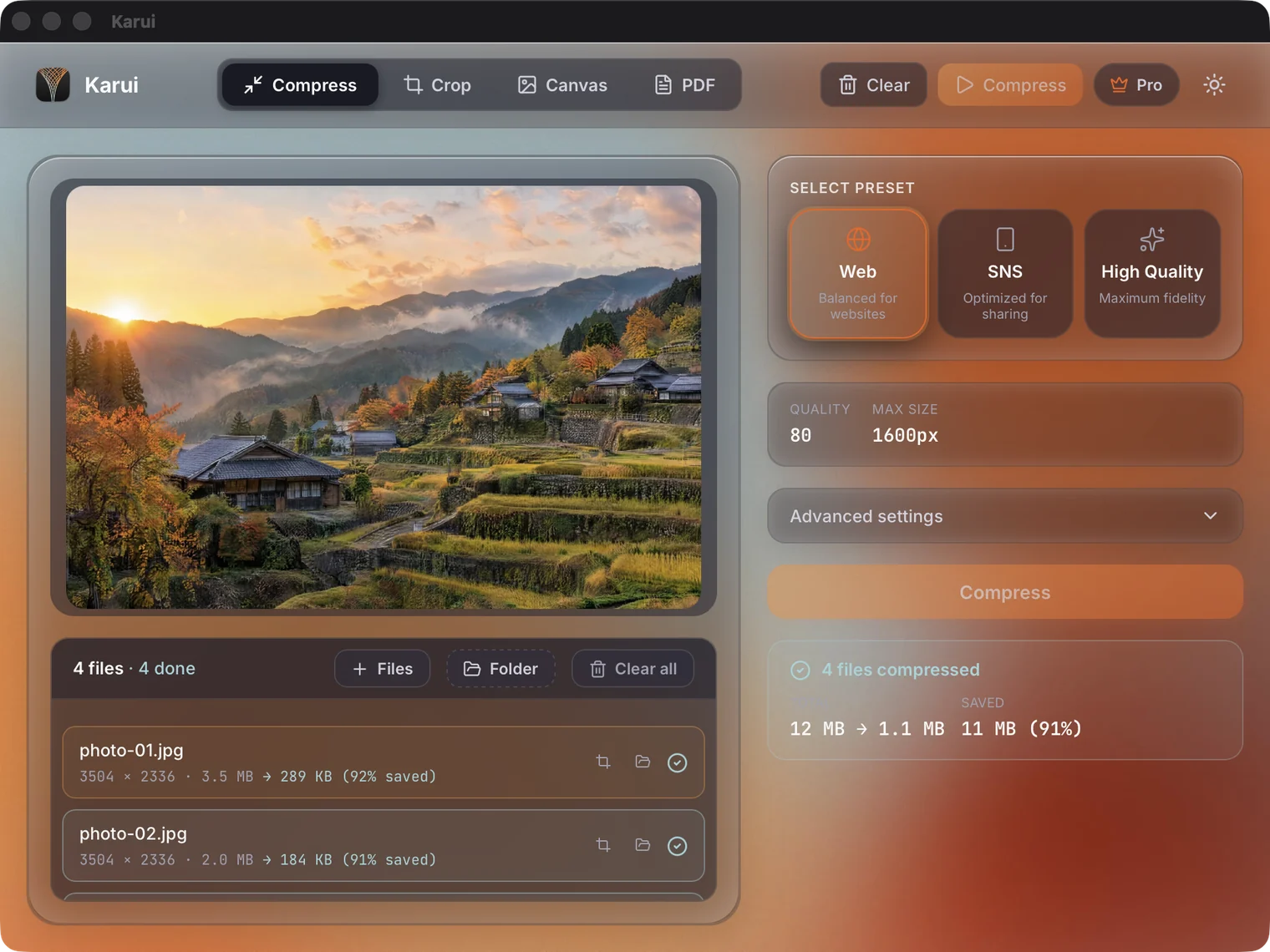
With Karui, $29 gets you a perpetual license and 1 year of updates. Even for free you can process up to 20 files a day, and Pro features are unlocked for 7 days from installation. No card registration is needed. You can try it free first and pay once you are satisfied with the reduction rate and image quality.
The value of a one-time purchase is not that it is cheap. It is that it does not add to your fixed costs. Not having to look at a screen full of small monthly charges is worth more than the amount itself.
Start by trying your own photos, free for 20 files a day
Try Karui FreePitfalls of a one-time purchase
Updates are not forever
A one-time purchase usually means a perpetual license plus updates for a set period. For Karui, that is 1 year. Updates from year 2 onward are discounted, but not free. If you do not renew, you keep using the version you bought.
An OS upgrade could stop an old app from working. Before buying, check both the update period and the renewal price. Do not see the words "perpetual license" and assume you get the latest version forever.
Risk of support ending
Products from solo developers and small teams may stop being developed. Since a one-time purchase is paid in full up front, assume a refund is unlikely if the company goes under. That is why you should confirm it works on the free tier and keep one alternative in mind.
Image compression is a field with many alternatives. At worst, you can switch to another tool. The stronger a service's lock-in, the worse it suits a one-time purchase, and the more single-purpose a tool is, the easier it is to switch.
OS and file format support
Karui runs on Windows 10+ / macOS 12.0+. It supports HEIC, PDF, WebP, AVIF, and more. The Windows version has no code signing, so a SmartScreen warning may appear.
The license is tied to the machine. Before replacing your computer, free up the slot with karui deactivate. If you forget this step, you may not be able to activate on the new PC.
Pricing of major tools
This was checked as of November 2026. Go by the prices each vendor lists.
| Tool | Price | One-time purchase | Free to try | Notes |
|---|---|---|---|---|
| Karui | $29 | One-time | 20 files a day | Perpetual license + 1 year of updates. Images and PDFs, local processing |
| JPEGmini Pro | $59 | One-time | Free tier of 50 images/day | Supports HEIC to JPEG |
| JPEGmini Pro Suite | $89 | One-time | Free tier of 50 images/day | Higher tier than Pro |
| Adobe Acrobat Pro | Subscription | None | - | Strong PDF compression, but expensive |
| Caesium | Free | - | All features | Windows / Mac / Linux, has a CLI |
| ImageOptim | Free | - | All features | macOS only, open source |
What the table shows is that image compression is cheap enough as a one-time purchase, within a range of $29 to $89. You need a subscription only if you also want PDF editing or cloud integration.
Free tools are strong too. Caesium runs on three operating systems and has a CLI. ImageOptim is macOS only, but free and open source. If free is enough, free is the right answer. Paying is a way of buying time and effort, and should be considered separately from which features are better.
Who each option suits
A one-time purchase suits people who process images every month. You want to shrink PDFs too, you do not want to upload anything to the internet, you do not want to add fixed costs. If two or more of these apply, a one-time purchase makes more sense.
A subscription is not for people who process only a few images a month. For them, the free tier is enough. You also need Acrobat's editing features, you want to manage licenses as a team, you do not want to manage updates yourself. If any of these apply, the cost of a subscription can be justified.
Free suits people who process a few images a month on a Mac only, people mainly doing format conversion, and people who first want to see the reduction rate. There is no need to treat free tools as an inferior choice. If they are enough, they are the best option.
This is not to say subscriptions are bad. They make sense for people who want to hand off updates and management. But before adding a fifth subscription just for image compression, it is worth stopping to think.
Decision criteria
There are five steps, in order.
- Compare 3-year totals. Put the monthly price × 36 next to the one-time price + renewal fees
- Count how often you use it in a year. At once a month, the free tier may be enough
- Check the update period and renewal price. Confirm what "perpetual" covers
- Confirm the formats and OS you need: HEIC, PDF, Windows support
- Try your own files on the free tier. Reduction rate and image quality depend on the file
With Karui's 20 free files a day, you can try three types: images for a blog, images for print, and PDFs. You can check your remaining allowance with karui status. Judging with your actual files is the most reliable way.
If you are unsure, write down on paper how much you would pay over 3 years. $5 a month looks small, but it is $180 over 36 months. If that number feels high, you should choose a one-time purchase or a free tool. If it feels low, a subscription is fine. What matters is checking the 3-year total before you sign up, not scrambling after the bill arrives.
Take image compression off your monthly bills for $29
No credit card, free for 20 files a day. If you like it, $29 once (perpetual license + 1 year of updates).
Windows 10+ / macOS 12.0+ / 100% local processingFAQ
If I pay $29 once, can I keep using it forever?
The license is perpetual and includes 1 year of updates from purchase. Renewals from year 2 onward are at a discounted price. If you stop renewing, you can keep using the version from the time of purchase.
Are free tools ever enough?
Yes. For a few images a month on a Mac only, ImageOptim is a candidate. If you also convert formats on Windows/Mac/Linux, Caesium is. Karui is also free for up to 20 files a day, so try your own files on the free tier first.
Should I choose Karui or JPEGmini?
Both are one-time purchases. Pricing is Karui $29 and JPEGmini Pro $59. The free tier is 20 files a day for Karui and 50 images a day for JPEGmini. If you want to handle PDFs in the same app too, Karui is a candidate.
Are there cases where a subscription is the better deal?
Yes. A subscription makes sense if you need editing features like Acrobat's, want to manage licenses as a team, or do not want to manage updates yourself. For image compression alone, a one-time purchase or a free tool is enough.
Will it stop working if I stop renewing?
No. You can keep using the version from the time of purchase. Support for new OS versions and new features are included in renewals.